Podcast production
Results After Work Podcast
I helped turn a spare room and three existing iPhones into a podcast setup, then handled recording, multicam editing, audio mixing, and YouTube delivery.
An idea, a spare room, and three iPhones
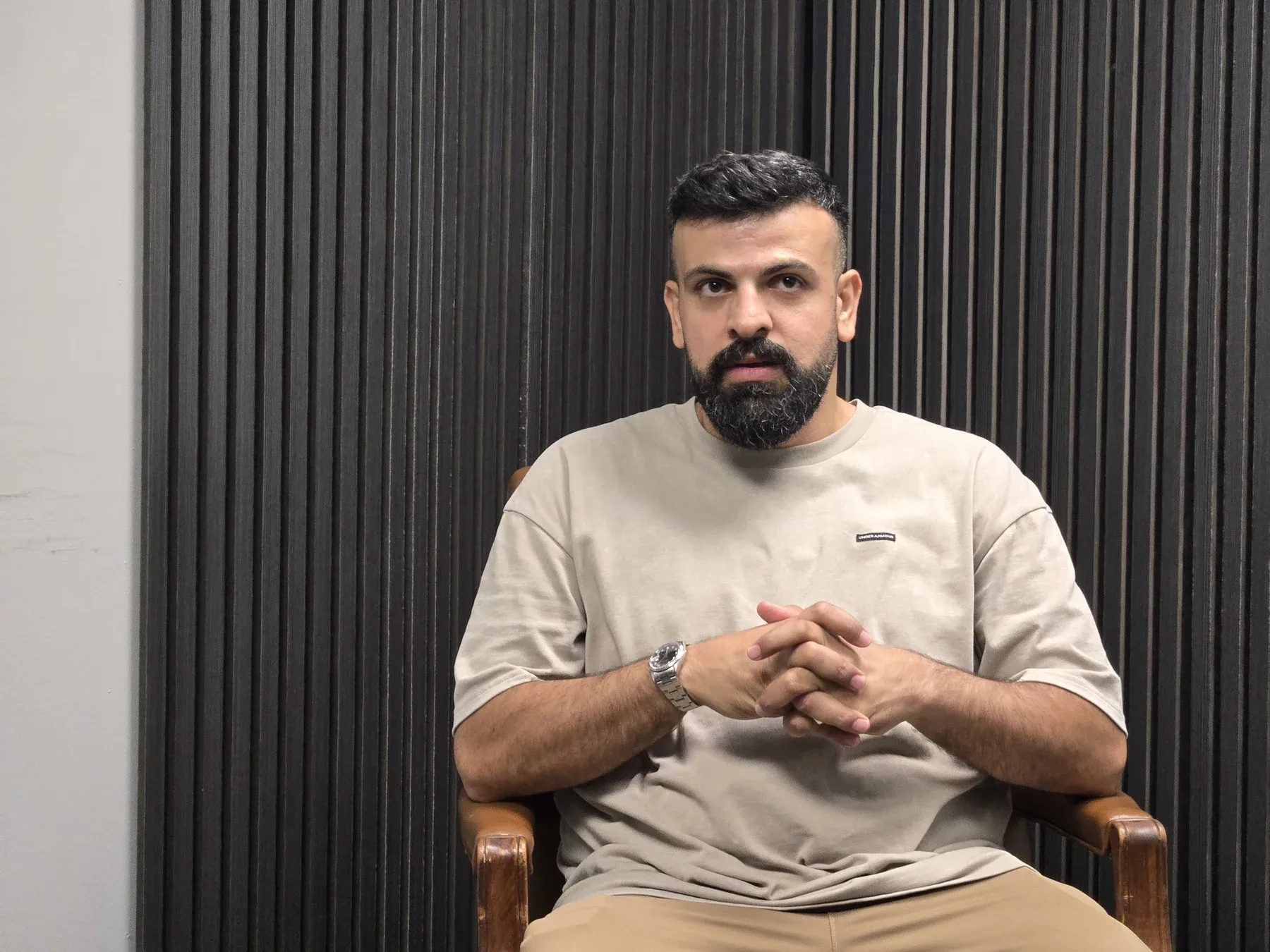
Tony Baker owns the Arab Tampa Facebook group and hosts Results After Work. He had wanted to start a podcast for years. When he reached out to me, he had a spare room and three iPhones, but no production equipment beyond the phones.
I helped turn that starting point into a recording setup, then handled recording, multicam editing, audio mixing, and YouTube uploads for the episodes shown here. Tony arranged the guests and sponsors, conducted the interviews, and approved the releases.
Making the room work
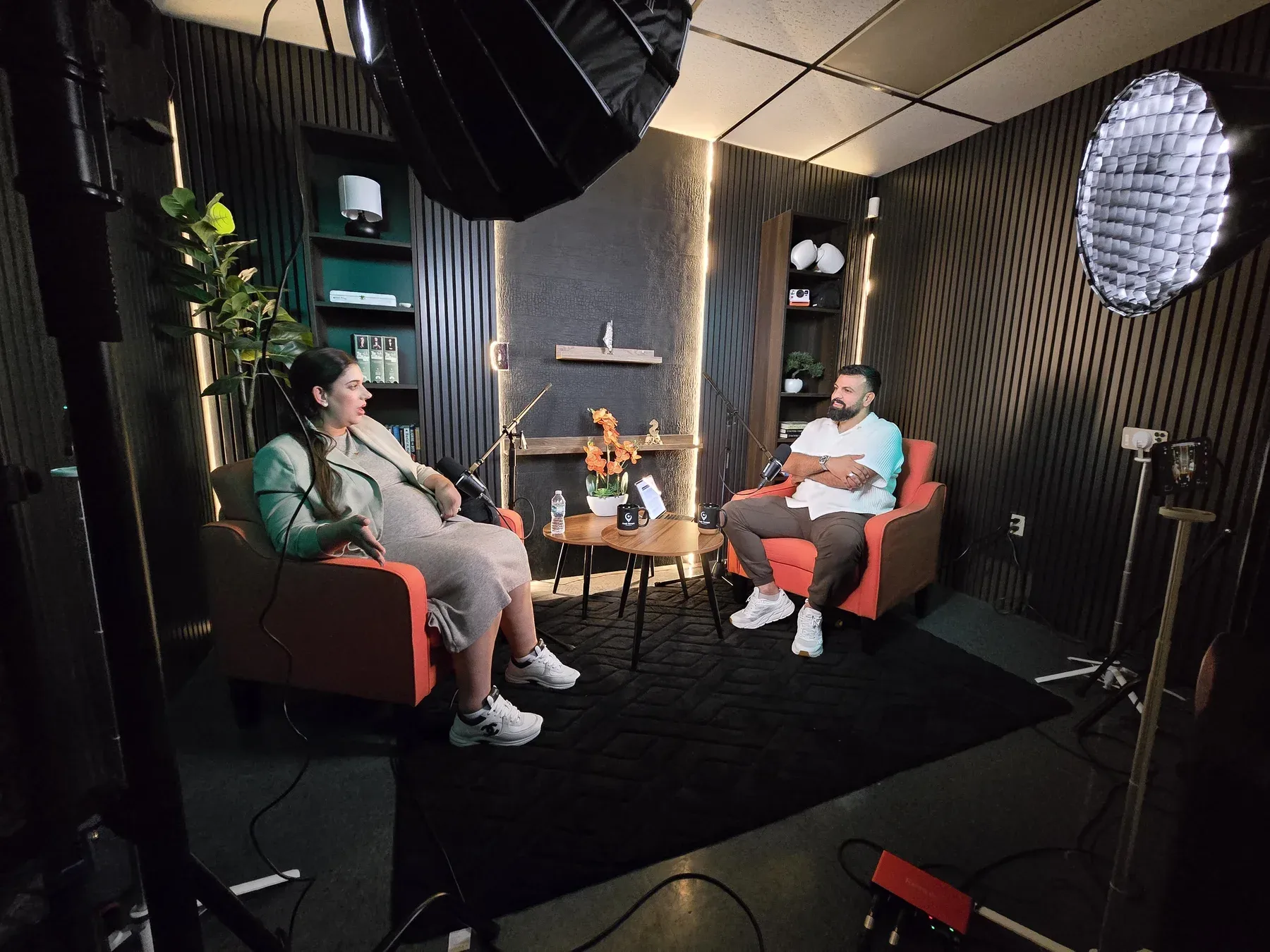
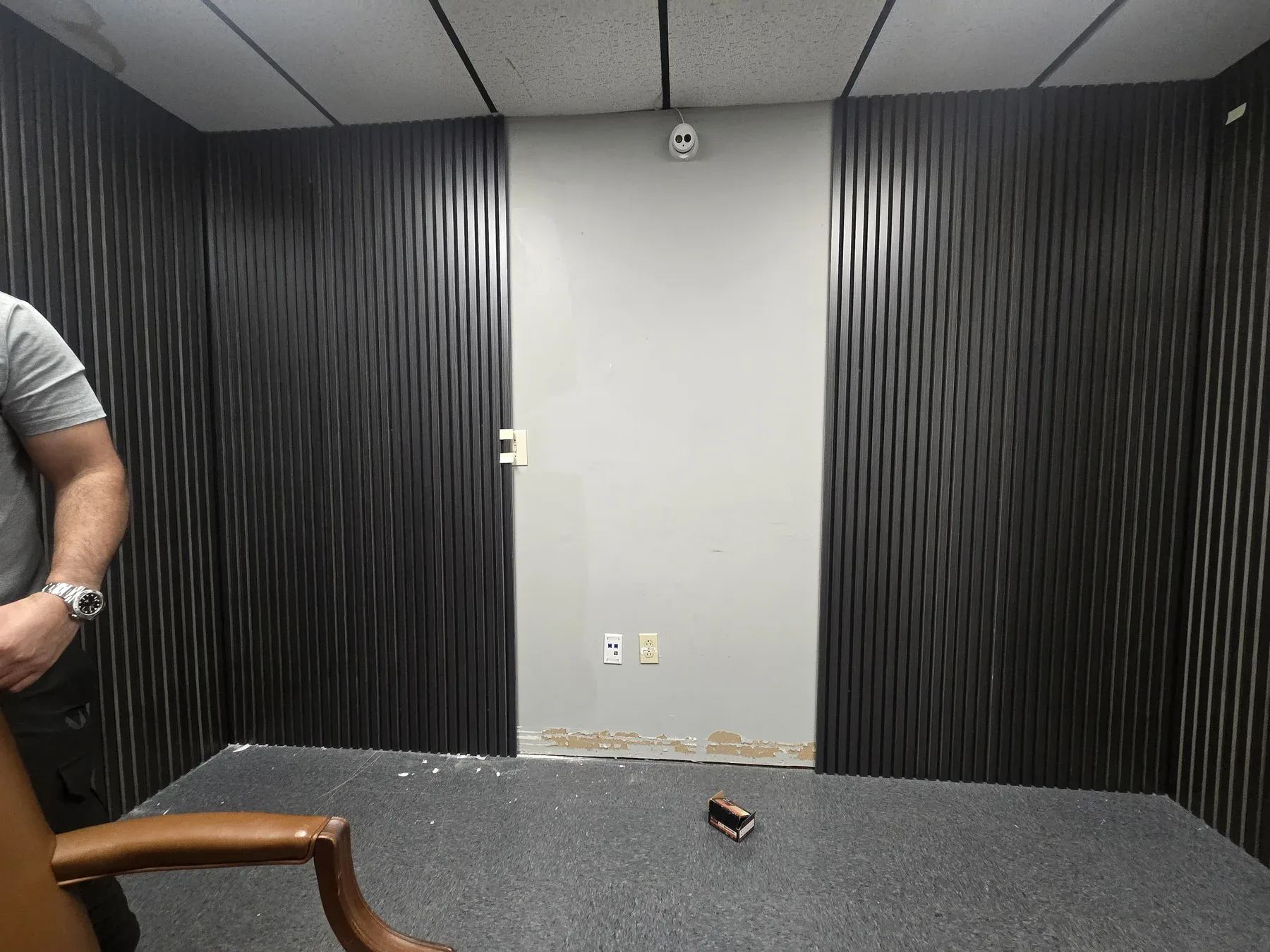
Tony brought a room concept he had developed with ChatGPT and purchased the furnishings and materials. I helped adapt the space for recording. We chose slatted panels with felt backing for acoustic treatment in the small room, alongside chairs, a carpet, and two microphones. I also helped develop the show’s logo.
I brought my own amaran COB 60x S lights with softboxes and positioned them in the corners around the interview. Small tripods and MagSafe mounts kept the phone setup compact and easy to mount.
Three cameras, one remote editing workflow
We chose to use Tony’s existing iPhones to keep the equipment budget low. That avoided buying a dedicated camera for each of the three angles. I recorded with three iPhone 16 cameras using the Blackmagic Camera app, then cut the angles together in a multicam edit in DaVinci Resolve.
Blackmagic Cloud let me work on the footage off-site while the iPhones stayed at the recording location. That meant I could move into post-production without collecting the cameras after each session.
Audio built around the conversation
The microphone setup uses Shure MV7+ microphones, with a RODE PodMic used for some recordings. I recorded through a Zoom F8n Pro in 32-bit float and also fed audio to the iPhones.
In the edit, I use EQ, compression, and limiting to keep the dialogue clear and control changes in volume. I use Youlean Loudness Meter 2 to inspect loudness, dialogue range, and true peaks alongside listening to the mix. Someone listening to a full interview should not have to keep reaching for the volume control when a speaker gets louder or quieter.
Measuring the final audio
This Youlean Loudness Meter 2 report analyzes the final audio for the Samah Abukdeir interview. The stereo file runs 1:01:40 at 48 kHz. The readings below preserve the report’s dialogue-gated labels.
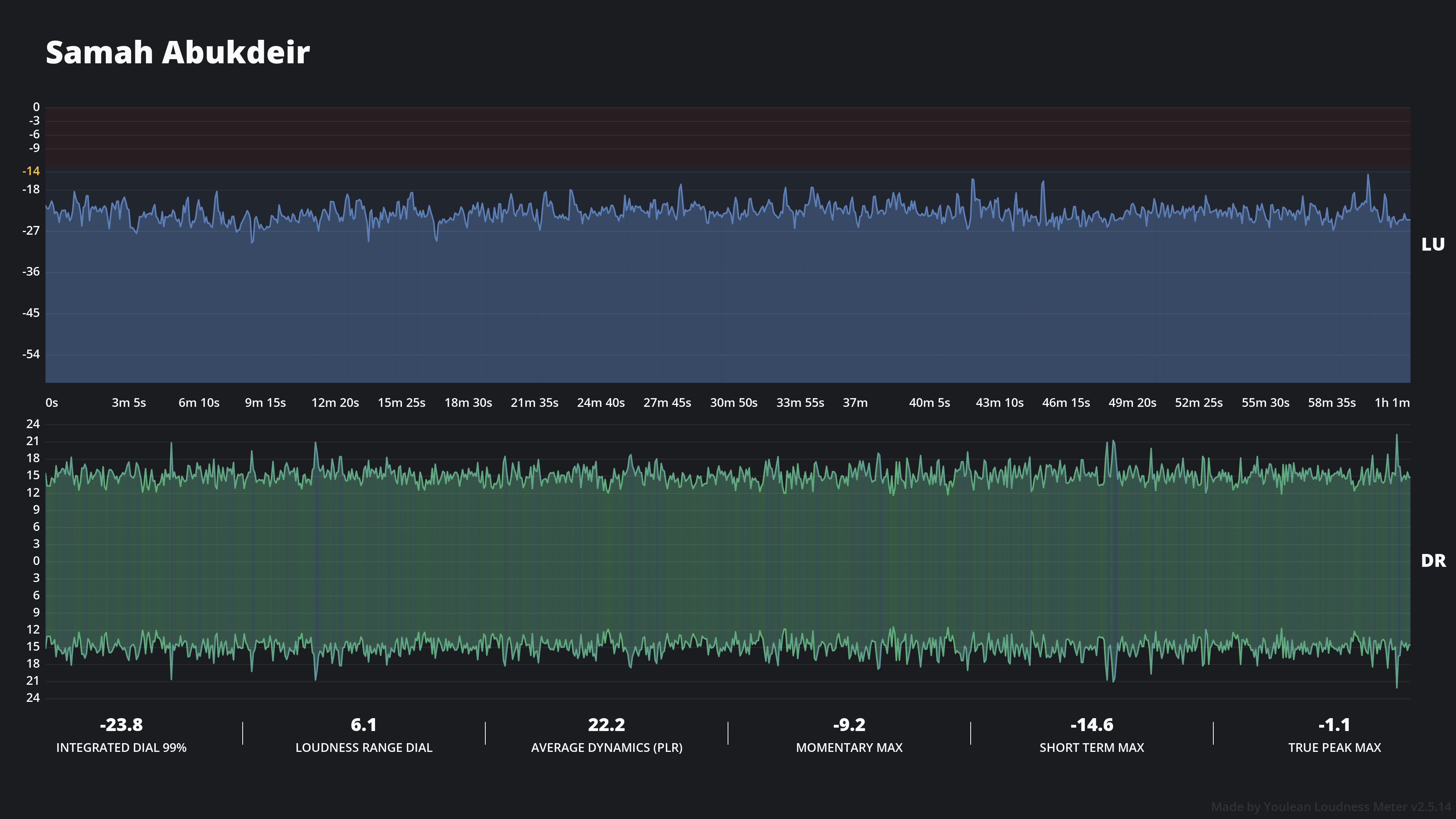
Final audio analysis in Youlean Loudness Meter 2, version 2.5.14, captured September 7, 2026 with the YouTube preset selected.
| Measurement | Reported value |
|---|---|
| Integrated dialogue loudness | -23.8 LUFS |
| Dialogue loudness range | 6.1 LU |
| Speech content | 99% |
| Average dynamics, PLR | 22.2 LU |
| Maximum momentary loudness | -9.2 LUFS |
| Maximum short-term loudness | -14.6 LUFS |
| Maximum true peak | -1.1 dBTP |
The dialogue-gated reading measures speech within the program. It is separate from overall integrated loudness. Selecting the YouTube preset provides a measurement reference; it does not establish that an export meets a loudness target.
Using the transcript to prepare the YouTube release
I run Whisper through a script on my computer to transcribe each episode. That transcript becomes the source for AI-assisted descriptions, title options, and YouTube chapter markers.
I give the model the transcript along with the goals for the episode, my publishing plans, and the audience I want to reach. I work through different options with AI models, including DeepSeek and Grok, to shape the wording around the actual conversation and the client’s intentions.
For Results After Work, I generated the thumbnails with vidIQ. Together, these tools help me deliver the material that goes around an episode as well as the finished video itself.
Full episodes and short clips
The multicam edit took about a day before I sent Tony a full version to review. He identified passages he wanted removed, and I made those cuts. Turnaround depended on footage and proxy upload speeds, the review cycle, and the time needed to render and upload each revised version.
Tony had the final say on the release. After his approval, I handled the YouTube upload. We also used OpusClip to turn moments from the full interviews into short reels.
The two released episodes on this page are examples of that complete workflow. Another interview I recorded and edited is awaiting release.
Work
- Set design and lighting
- Three-camera recording and multicam editing
- Dialogue recording, mixing, and loudness checks
- AI-assisted thumbnails, titles, descriptions, and YouTube chapters
- YouTube publishing and short-form clips
- Logo design collaboration
Details
- Role
- Podcast producer, videographer, editor, and audio engineer
- Collaborators
- Tony Baker, host and client
Tools and equipment
iPhone 16 and Blackmagic Camera, MagSafe mounts and compact tripods, amaran COB 60x S lights with softboxes, Blackmagic Cloud, DaVinci Resolve, Shure MV7+ and RODE PodMic, Zoom F8n Pro, Youlean Loudness Meter 2, Whisper with a custom local transcription script, AI writing models, vidIQ for thumbnail generation, OpusClip
Featured video
Watch the finished production directly from the client project.
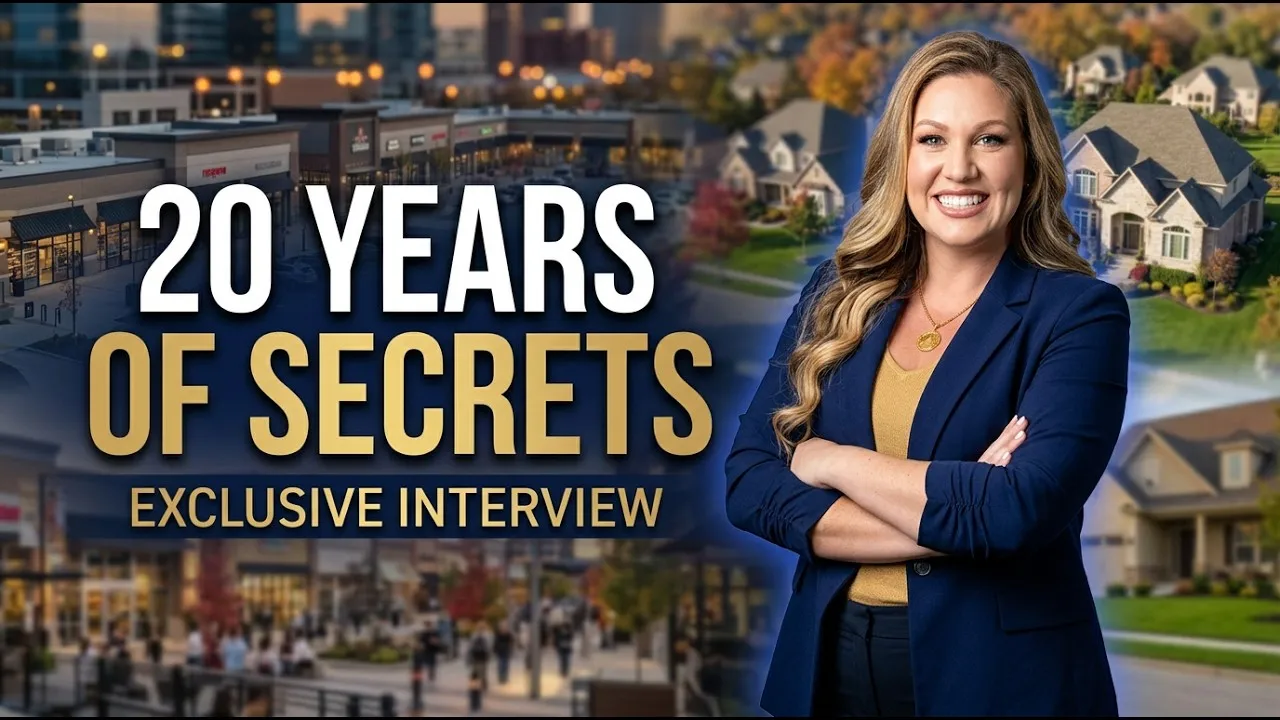
Is Tampa Really Collapsing? Top Realtor Rima Olabi Answers
August 12, 2026
A conversation about Tampa's real estate market, recorded and edited through the same three-camera production workflow.
Watch Is Tampa Really Collapsing? Top Realtor Rima Olabi Answers on YouTubeComing soon
Another completed episode
I recorded and edited another interview that is awaiting release. It will be added here after it is public.
YouTube release coming soon
Outcomes
- Produced the recording, edit, audio mix, and YouTube upload for the episodes shown here
- Helped design and build the podcast set and develop the show's logo
- Set up cloud uploads so the cameras could stay on location while I edited off-site
- Used episode transcripts to develop title options, descriptions, and YouTube chapter markers
- Used the client's existing iPhones to avoid buying three dedicated cameras
Building and recording in the set