Web development
Building ayoubabed.xyz with AI
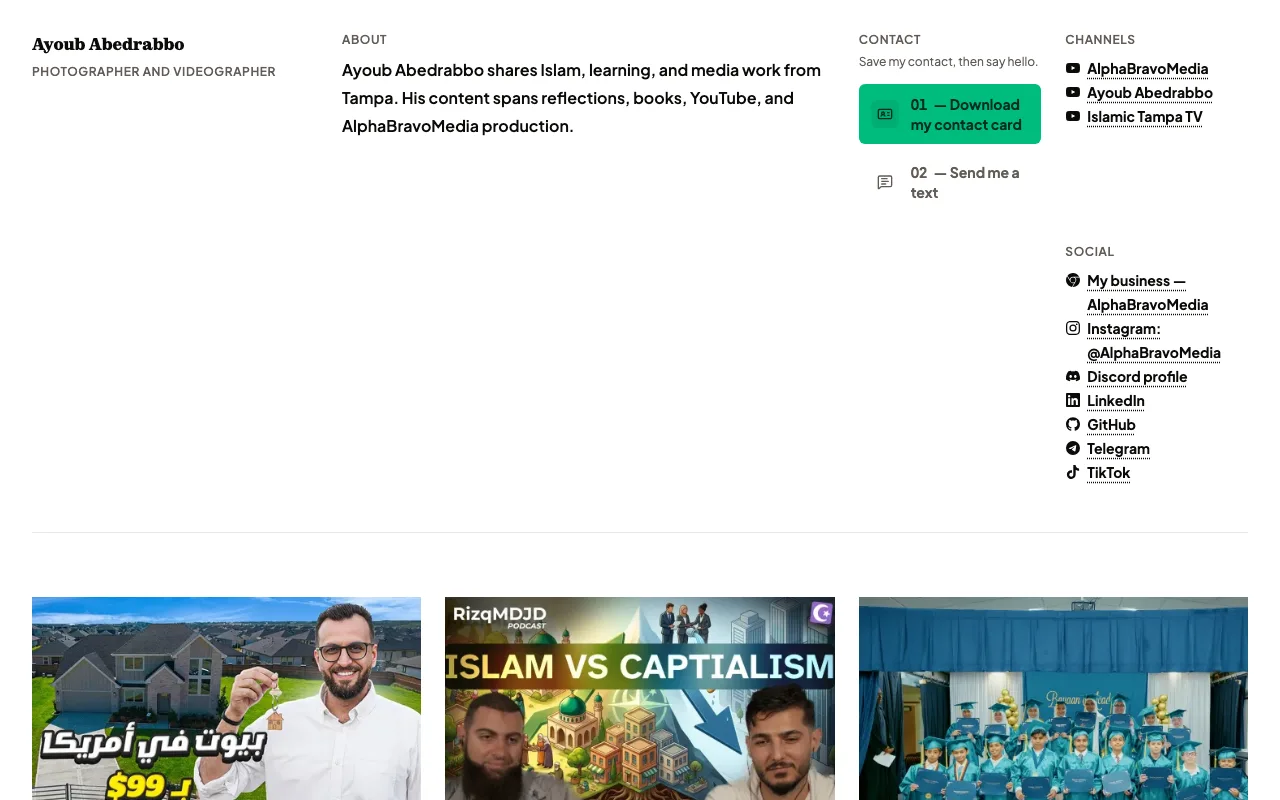
The website you're reading is the case study. I designed and shipped ayoubabed.xyz by directing AI — Claude Codex and GLM 5.2 — to build a fast, free, static site on Astro, Tailwind, and shadcn/ui, hosted on Cloudflare.
Overview
Every other page in this portfolio shows client work I produced with a camera. This one is different — the website you’re reading right now is the deliverable. I built ayoubabed.xyz by directing AI to write it for me, mostly Claude Codex with GLM 5.2, and the result is a fast, free, static site I control completely.
The point isn’t that AI did the work. The point is that knowing what to ask for is the skill. Anyone can open a chat and say “build me a website.” The output is only as good as the instructions behind it.
The stack, and why it matters
The site runs on:
- Astro for routing and static generation
- Tailwind CSS v4 for styling
- shadcn/ui for components
- MDX content collections for each portfolio case study
- Cloudflare Workers with static assets for hosting
I chose this stack deliberately, and that choice is the whole game. If I didn’t know Astro, Tailwind, or shadcn existed, I couldn’t tell the AI to use them — and it would reach for whatever it defaults to, which is often heavier, slower, or harder to maintain. Naming the right tools is what turns a generic AI build into a good one.
Directing the AI
My main tools were Claude Codex and GLM 5.2. To make them effective, I connected several MCP servers so the AI could read real documentation instead of guessing:
- Astro MCP so the framework API it cited was current
- shadcn MCP so component usage matched the actual library
- context-mode MCP to keep context windows from filling up over long sessions
- Caveman to cut output tokens and keep responses tight
I also used tasteskill.dev to sharpen the design direction. The pattern is the same each time: give the AI the right references and the right tools, then review everything it produces.
Replacing paid subscriptions
Photo galleries are the obvious example. Services like Pic-Time charge a monthly subscription to host client photos and let people download them. Instead, I had the AI build a gallery that streams images from a Cloudflare R2 bucket with full-resolution downloads — like this wedding gallery. The whole thing runs on Cloudflare’s free tier. No subscription, no per-client cost.
Design inspiration
I had an earlier version of this site, but I rebuilt it to match the portfolio design of josephz.me — a clean editorial layout, a masonry portfolio grid, and a sharp, minimal type system. Having a concrete reference made the AI prompts far more precise than “make it look modern.”
Beyond this site
This isn’t a one-off. I apply the same stack and AI-directed workflow to client platforms — most notably yahalausa.net, the living media hub for Ya Hala with Haithum, a series covering Arab American field stories across the U.S.
Same foundation — Astro, Tailwind, shadcn/ui, an AI-assisted build with Codex CLI — but shaped entirely around Haithum’s needs: an auto-updating episode feed, audience reach across YouTube, TikTok, Instagram, and Facebook, a places-visited directory by state, and semantic search across video transcripts so viewers can jump straight to a specific moment. I continue to build and maintain it as the show grows, which is the real test of this approach: it has to keep working as requirements change, not just for a single launch.
The honest challenges
It isn’t all smooth. The recurring problems:
- Design drift. Each new prompt can pull the AI toward a fresh idea — a different corner radius, a new accent color, spacing that doesn’t match the rest of the site. Keeping everything cohesive takes constant correction.
- Tailwind leakage. Sometimes the AI writes custom CSS instead of using Tailwind utilities, which defeats the purpose of the design system and creates inconsistency.
- Usage limits. Codex and Claude plans reset on a weekly or five-hour cycle, so larger features sometimes have to wait for the limit to refill.
Open source
The full codebase is on GitHub. If you want to see how an AI-directed static site is structured, or build your own, that’s the place to start. I add features as I need them, and I teach the process on my AlphaBravoMedia channel.
Work
- AI-directed development
- Prompt engineering
- Static-site architecture
- Self-hosted media delivery
Details
- Role
- Sole developer (AI-directed)
Tools and equipment
Astro, Tailwind CSS, shadcn/ui, Cloudflare Workers (static assets), Cloudflare R2, Claude Codex, GLM 5.2, Astro MCP server, shadcn MCP server, context-mode MCP, Caveman
Outcomes
- Shipped a full portfolio and contact site without writing it by hand
- Replaced a paid photo-hosting subscription with a free Cloudflare R2 gallery that supports downloads
- Kept the entire stack on Cloudflare's free tier
- Open-sourced the codebase for others to learn from